Everything else

The parts a demo never gets to.

A product tour shows you jobs, time and invoices, because that is what you came for. This is the rest of it — how you configure it, how each person makes it their own, and the dozen smaller things that decide whether a platform is pleasant to live in.

01 Settings

Most of what you see is configuration, not code.

Statuses, job types, SLA tiers, charge rates, templates, categories, groups, users and permissions — none of it needs a developer, a support ticket or a release. If the way you work changes, the software changes the same afternoon.

Settings
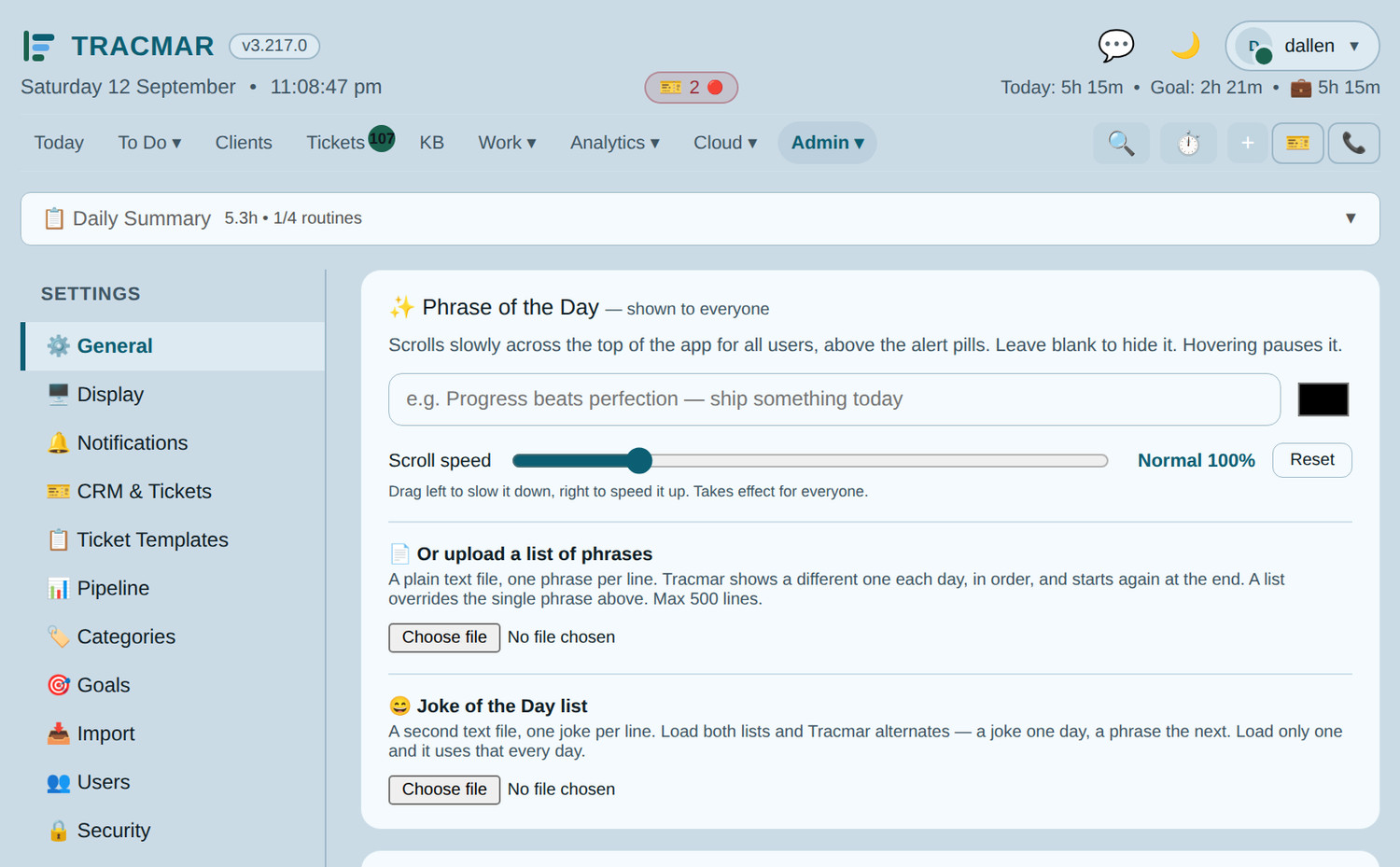
Settings. Seventeen areas an administrator owns outright — and a status you add here can pause the SLA clock, prompt for information when it is chosen, and raise a follow-up task from the answer.
  • Job statuses and typesYour own names, colours and order. Any status can pause the SLA clock and bank the remaining time.
  • SLA tiersResponse and resolution targets measured in business hours, assigned per client — and a client can carry more than one where different services carry different promises.
  • Charge ratesNamed rates with their own billing increment, after-hours variants and a Xero account code.
  • TemplatesCarry checklist steps and a first time-log description into every new job, and can be scoped to a single client.
  • Business hours and localeYour trading days, timezone and tax locale. The SLA arithmetic follows the tenant rather than the code — which is why the same build works outside Australia.

02 Preferences

Theirs, not the browser's.

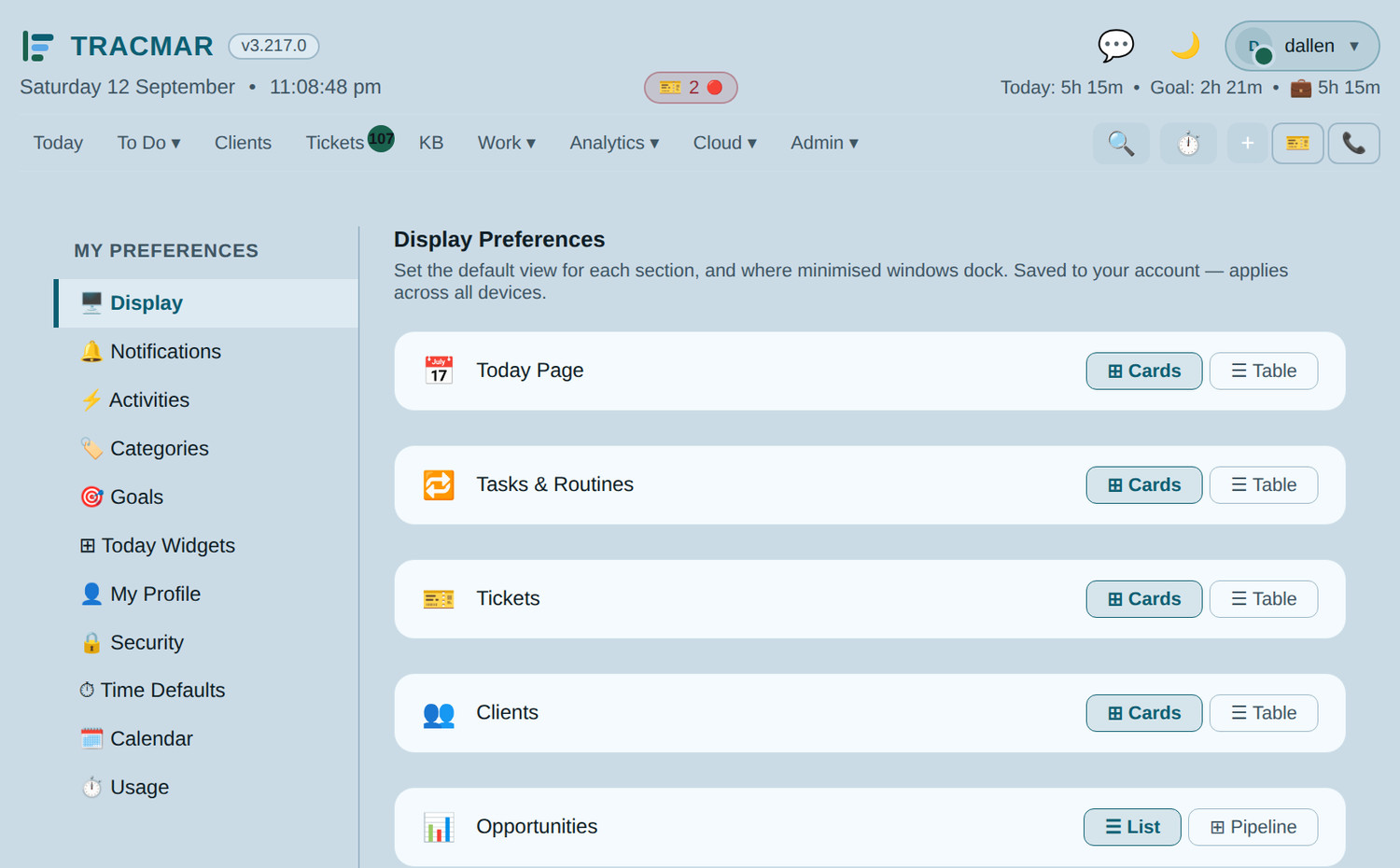
Every preference is stored against the account, so it follows someone to the workshop machine, the laptop and the phone — instead of being lost the first time they sign in somewhere else.

Preferences
Preferences. Each person chooses their theme, their landing page, which alerts reach them, their sounds and their own hour targets — without an administrator being involved.
  • Thirteen themesDark, Carbon, Slate, Nord, Midnight, Forest, Dracula, Light, Mist, Rose, Meadow, Sepia and High Contrast. The whole app follows, including colours staff have picked themselves for statuses and client groups.
  • Contrast-audited, not eyeballedEvery theme is measured against WCAG AA across all four surfaces it paints, and High Contrast clears AAA. A pale colour chosen on a dark screen adapts so it stays readable on a light one.
  • Where you landAn owner opens on the dashboard, a technician on Today, and nobody argues about it.
  • Your own targetsWeekly and billable hour goals, so your dashboard measures what you agreed rather than an average.

03 Opportunities

The work you have not won yet.

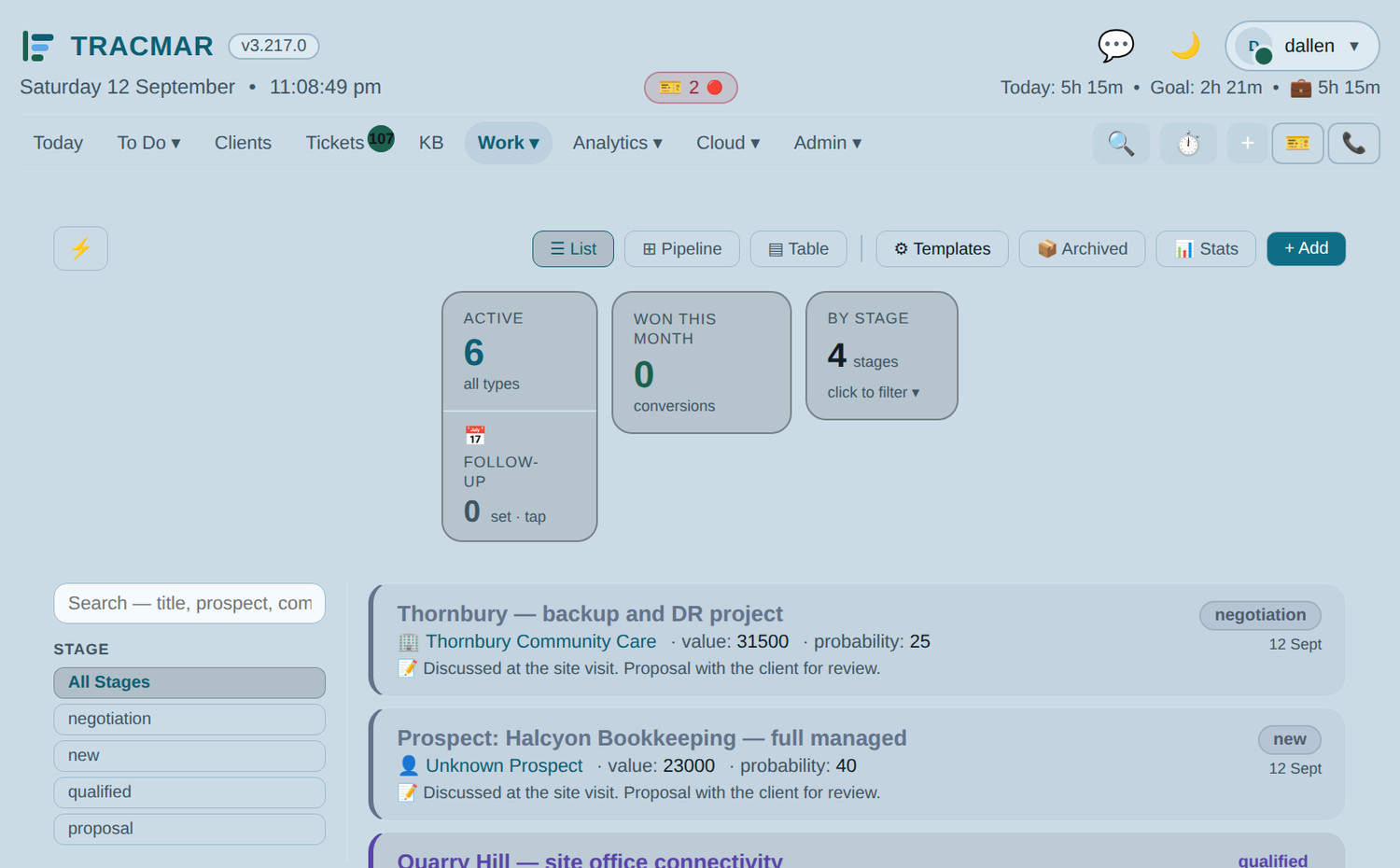
A quote that lives in your inbox is not a pipeline. Opportunities sit beside the clients they belong to, and a win becomes a client record without being retyped.

Pipeline
Pipeline. Stages you define, status flags, values and probability, with reminders when something has gone quiet for too long.
  • Your stages, not oursDefine the pipeline that matches how you actually sell, with templates for the kinds of deal you repeat.
  • Prospects become clientsConvert a win in place — the record, the contacts and the history carry across.
  • Nothing goes quiet unnoticedOpportunities that have not moved for a set number of days surface on their own.
  • Won and lost, recordedWith the reason, so the pattern is visible later.

04 Knowledge base

Written down once, findable from the job.

Every service business has procedures that live in one person's head. The knowledge base is where they stop living there.

Knowledge base
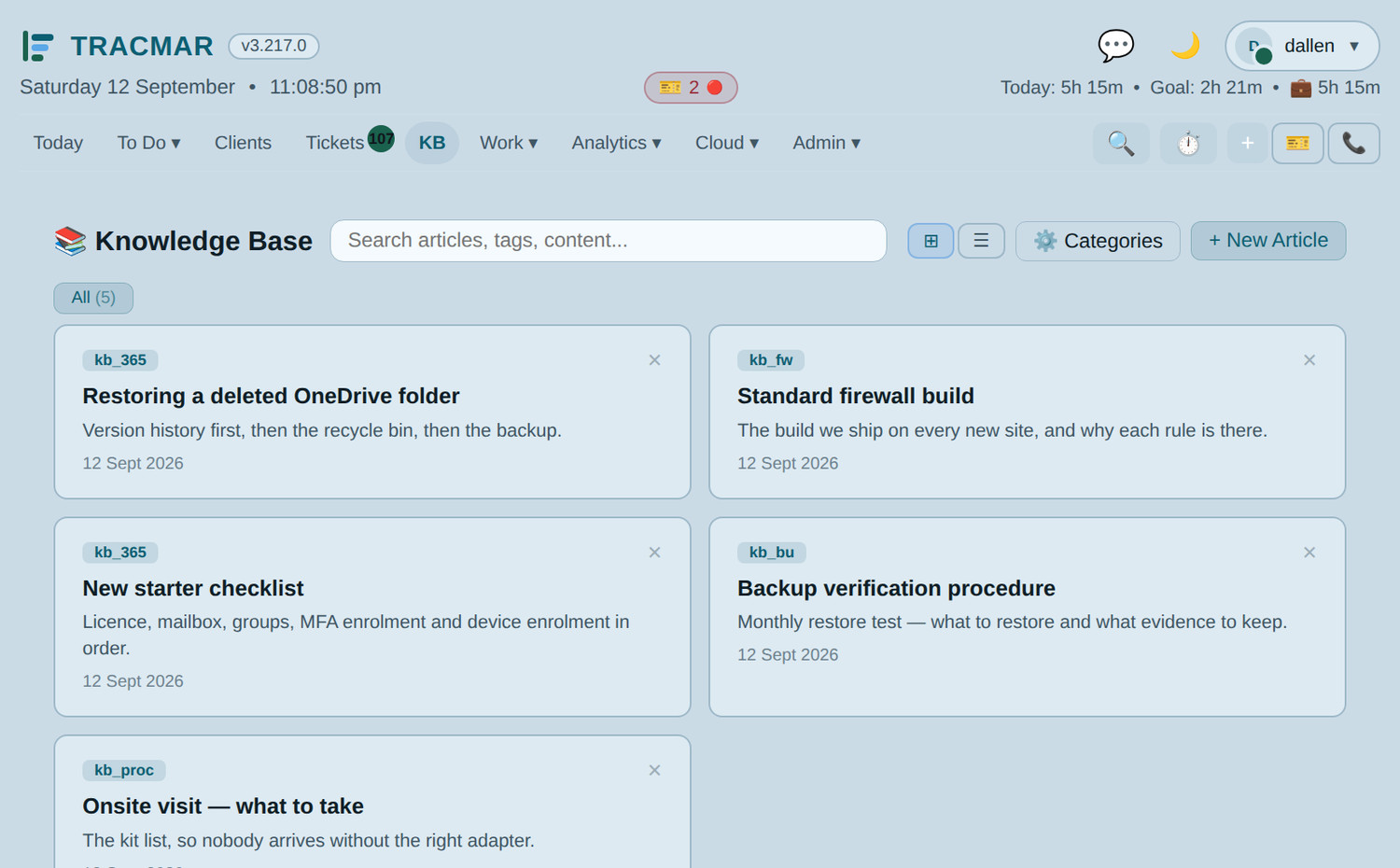
Knowledge base. An article tree with categories, attachments and search — linkable from any job, so the answer arrives where the question was asked.
  • Seeded on day oneYour instance arrives with how-to articles for the product itself, in the app and searchable, rather than a PDF manual nobody opens.
  • Yours to changeAs your practice diverges from the default, you edit the article and it becomes your procedure.
  • Linked from a jobAttach an article to the work it explains, so the next person does not start from scratch.
  • Encrypted runbooks tooClient-specific credentials and procedures live separately, encrypted at rest, with private entries only their owner can open.

And the rest

Everything else it does.

Briefly, because a list this long stops being readable if every line argues its case.

Chat, built inOne-to-one and group messaging beside the work, with files, pins, reactions and search. A job mentioned in a message is a link. Ask a colleague attaches the job to the conversation and writes the answer back onto it.
SearchOne field across jobs, clients, projects, activity, opportunities — and Xero invoice numbers, so "which job was on invoice 4471" is answerable.
NotificationsA daily digest, hourly SLA breach warnings while there is still time to act, delegated-task reminders that escalate, and an invoicing-queue alert with a per-client floor.
Shared calendarDay, week and month views of everyone's scheduled work — side by side or overlaid — with an export so it appears in the calendar you already live in.
Device monitoringA live RMM alert feed, configurable email alerts including machines not seen for X days, and a cross-client sweep for end-of-life systems, low disk and security exposure.
Domain and SSL expiryCertificates and domains tracked across every client from your own reseller account, before a renewal becomes an outage.
ReportingBranded monthly client reports as PDFs, a profit-and-loss pulled from Xero, insight dashboards, and print layouts fit to send to a client.
SMS and callsTemplated messages with scheduling and opt-outs, automatic onsite reminders, and call logging with a timer, outcomes and follow-ups.
Audit trailA global record of who changed what and the reason they gave — including write-offs and billing exclusions.
Saved viewsAny combination of filter, sort and columns, saved per person and kept in the database, so the list you work from is waiting on the next machine.
MobileA purpose-built field view — tick work off, log time, close a job on site, with timers that survive switching apps. Add it to the home screen.
SecurityTwo-factor by email or authenticator app, passkeys, IP whitelisting, a geo firewall, trusted devices, full login logs, and separate absolute and idle session windows.
Next step

Ready to replace your PSA?

Every deployment starts with a conversation, not a signup form. We will look at how you work now, plan the migration from Halo or CSV, configure your instance, and have you live on your own domain — typically within a week.

08 8358 0944

Adelaide, South Australia  ·  hello@tracmar.au

Download the overview (PDF)

🔒 Spam check

No newsletter, no drip sequence. A person reads it and replies.